Map and controls
Guide to the control cluster, speedometer, and main navigation controls.
Map chrome
SpeedLoop uses one full-screen map. Tools and controls sit on top of that map layer — maximizing use of a single map layer for the best app performance.
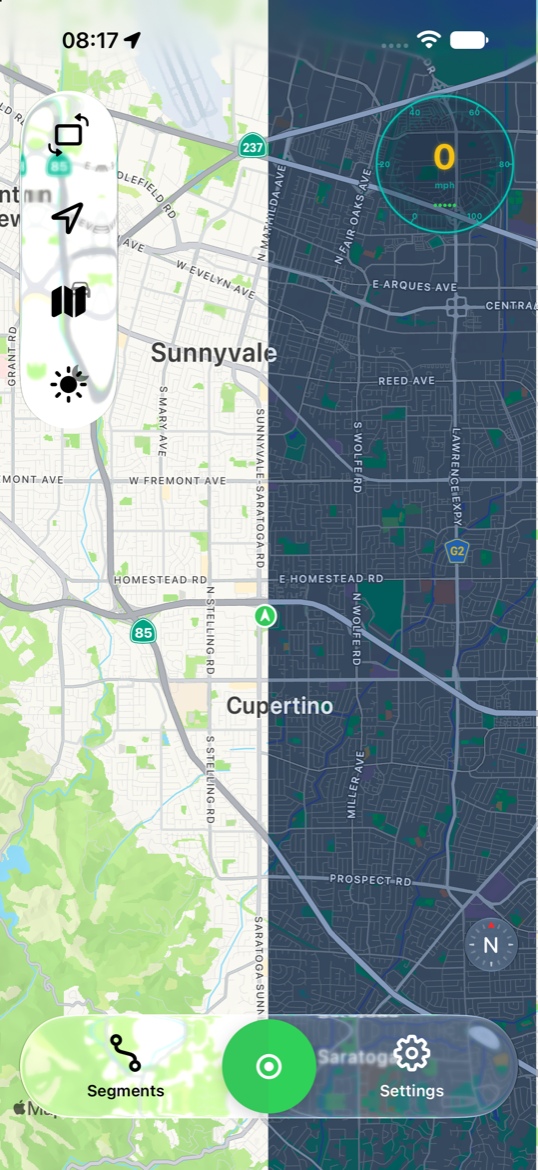
Map appearance (light / dark) changes from the top control cluster (or in Settings). Map appearance does not follow the iOS system appearance or the app chrome appearance.
Control cluster (top)
Buttons stack vertically along the top edge. Typical order (when available):
[🚗] - Rotate screen (portrait / landscape)
- Gesture: tap.
- Effect: SpeedLoop’s layout switches between landscape and portrait — not iOS rotation lock / Auto-Rotate. The icon shows the screen orientation you will switch to.
[🚗] - Follow location
- Gesture: tap to recenter and follow your position while moving. Press and hold opens the location-permission status page (also available when location is denied).
- Icon: filled while following; slash (red) when location is denied.
- Hidden in: replay mode.
[🚗] - Map / driving mode
- Gesture: tap.
- Effect: turns on Driving mode (look ahead, pitched camera) or Map (north up).
- Hidden when: aviation session or replay.
- Settings → Auto Driving Mode: can enter driving mode + follow automatically when recording starts; if the app switched you in, ending the session restores map mode.
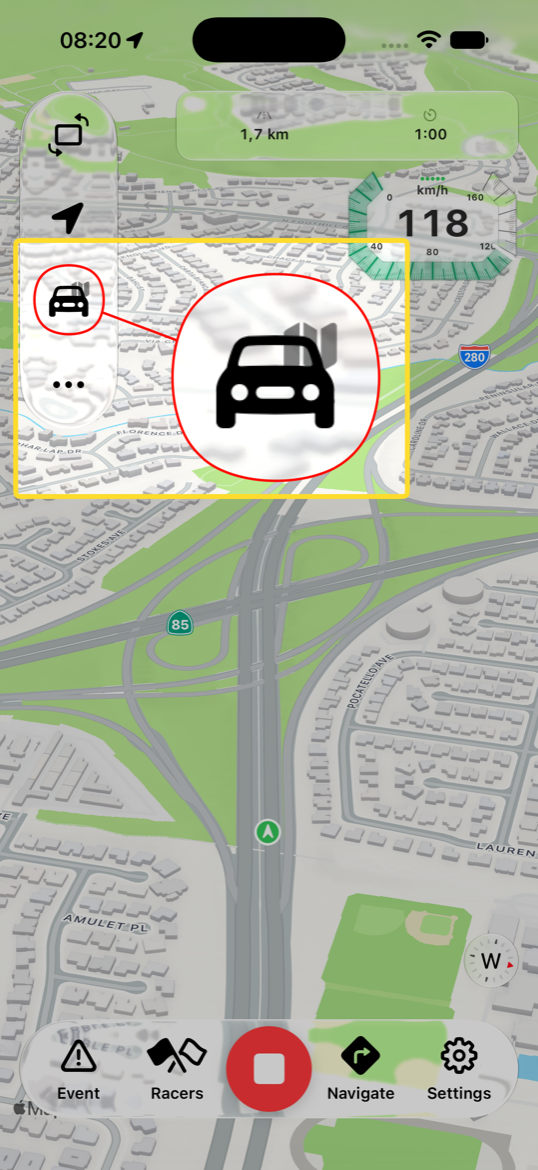
[🚗] - Driving zoom (− / +)
- Gesture: tap.
- When: only while Driving mode is on.
- Effect: adjusts camera distance closer / farther (value is saved).
[🚗] - Music controls
- Gesture: tap the music note to open / close the music control strip.
- Requirement: enable Music Controls in Settings (Controls). Turning it on requests Media Library permission; if denied, the toggle turns back off.
- Music controls appear when: Music Controls is on in Settings and you expanded it in the tool bar and the Music app has now-playing. Controls: previous / play-pause / next.
- Hidden in: replay mode. Music Controls is off by default.
[🚗] - Map appearance (light / dark)
- Gesture: tap (sun / moon icon).
- Effect: switches map appearance light ↔ dark. Same setting as Settings → Map → Appearance.
[🚗] - Show route path
- Gesture: tap to toggle.
- When: only while recording or replay.
- Cycle: primary route only → show all (route + ghosts) → hide all → …
- During live recording: controls the green trunk vs ghost path. This is visibility, not Pro map matching (pretty path).
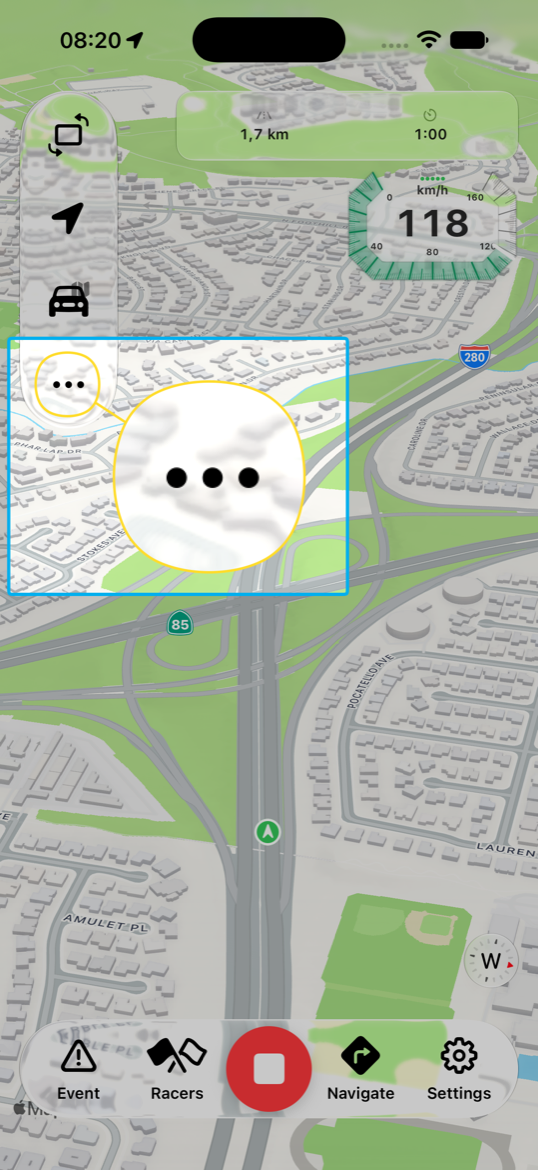
[…]
- Gesture: tap.
- When it appears: on iPhone only, when there are more controls than the layout can pin. Control cluster size Standard pins 4 buttons; Large / Extra Large pin 3. The rest open from ….
Speedometer
The speed HUD sits on the trailing side of the map.
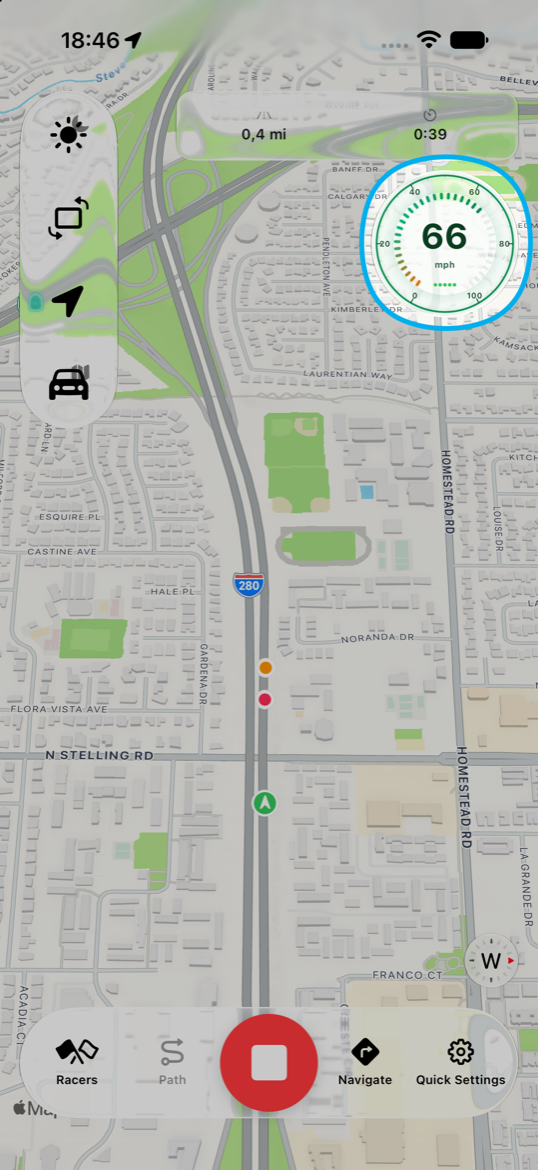
- Tap: cycles style Numeric → Full Dial → Octagon → Numeric. Does not change measurement units.
- Long-press: triggers compass calibration. If the system panel does not appear, you may see an “already calibrated” toast.
- Units: Settings / Quick Settings. Aviation sessions use nautical units automatically (unit picker is hidden while recording a flight).
Bottom bar
Live map (not recording)
| Button | Action |
|---|---|
| Segments | Opens the segments sheet |
| Start | Opens the segment picker / starts recording |
| Settings | Full Settings |
Active recording session
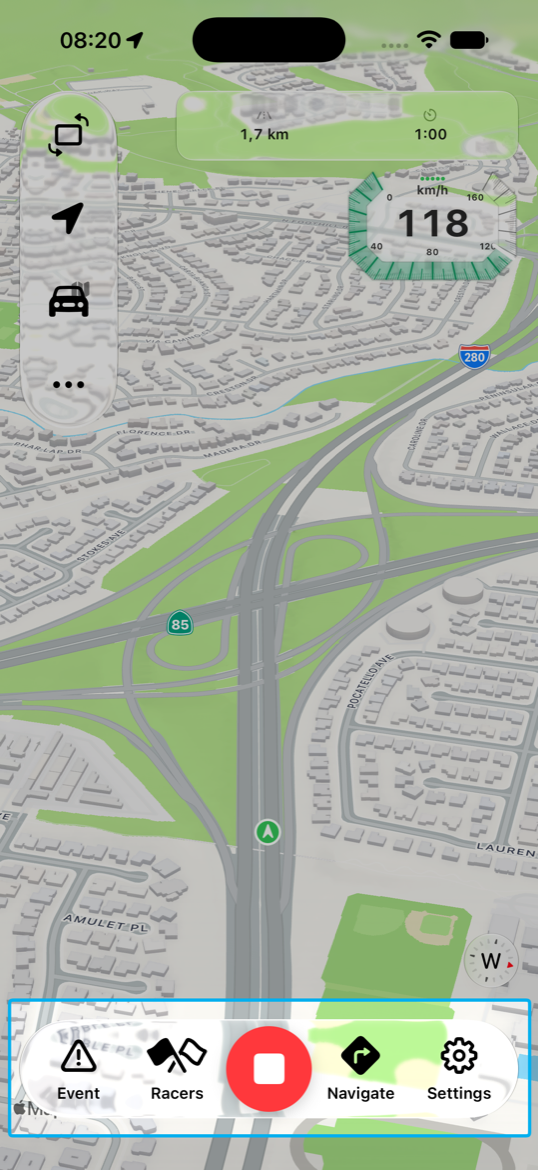
| Button | When available | Action |
|---|---|---|
| Event | Recording and not user-paused | Opens the road-event picker at the current GPS (Accident, Jam, Police, Hazard, mood/weather, …) |
| Racers | Recording with a segment ID | Opens the ghost / racer picker. Disabled for Just Record Driving (no segment) |
| Stop / Resume | Always during a session | Stop ends capture and opens the save flow. If the session is paused, the button becomes Resume |
| Navigate | Automotive + destination pin set | Opens Apple Maps with driving directions to the segment destination. Hidden for aviation or when no destination is set |
| Settings | While recording | Opens Recording Quick Settings (appearance, map quality, units if not aviation, music, control size) — not full Settings |
Related Settings
| Setting | Effect on HUD |
|---|---|
| Control Size (Standard / Large / Extra Large) | Button size; larger sizes overflow sooner on phone |
| Music Controls | Shows the music button in the cluster; needs Media Library permission |
| Appearance | Map light / dark |
| Map quality | Puck / camera update cadence (Optimized / Normal / Smooth) |
| Auto Driving Mode | Auto enter driving + follow when a car recording starts |
| Keep Screen Awake | Prevents screen lock while the map is in the foreground |
| Measurement units | Speed / distance labels (not changed by tapping the speedometer) |
| Speedometer style | Initial style; tap still cycles |
Mode notes
- Replay: hides Follow, Driving, Music. Path toggle and Appearance remain. Replay uses its own playback bar at the bottom.
- Aviation: no Driving mode, no Navigate to Apple Maps; nautical units.